All Playbooksby edouardtheginger

How I won a Claude hackathon with no team and without writing code
I can't write code and I entered alone. In under 7 hours, about 30 Claude Code agents running in parallel built BoldFresh, an app that turns a cooking video into a supermarket basket, with an onboarding, a live demo and real prices. It won.
What you need
- A paid Claude plan
- Pro, Max and Ultra all include Claude Code. Pro is $20 a month if you pay monthly. My link below gives you a free week of Claude Code, while my guest passes last.
- The Claude desktop app
- Claude Code runs inside it, under Code, on Mac or Windows.
- A free GitHub account
- Your agents save their work there, one branch per task.
- One problem you have felt
- Part 1 shows how to pick it.
 CLICK HERE
The three parts
- The idea. Pick a real problem you have felt yourself, research it, and say it in one sentence.
- The build. Reuse what already exists, plan in detail, then give one small task to each agent, many at once.
- The pitch. A live demo that makes the room react, a clean design, and one sentence everyone understands.
Prices checked 13 November 2026 on claude.com/pricing, in US dollars.

Part 1: The idea
Picking the idea is harder than it looks. Judges reward a problem they recognise and a demo that solves it. The strongest ideas come from a problem you have lived, because then you already know what the fix has to feel like.
MY PROBLEM: SAVED, NEVER COOKED

Step 1: List problems you have had yourself
Write down three things that annoy you every week. Mine: I saved cooking videos on Instagram and TikTok and never cooked them. I was too lazy, the recipe was paywalled, or the video got lost among thousands of saves.
Step 2: Research each one
Before you choose, find out who has the problem, how they deal with it today and what the apps that already exist get wrong. Claude's Research mode or ChatGPT's deep research does this in a few minutes.
Step 3: Pick the one you can demo
The best pick is a real problem, felt by many people in the room, that a 3-minute live demo can show solved. Drop anything you can't build in the hours you have.
Step 4: Say it in one sentence
Write the promise now and keep it for the pitch. Mine: "My app turns any cooking video you scroll past into a full basket at your favourite supermarket in less than two clicks."
Four questions to research

- Who has it?
- A group you can name and picture, and roughly how often they hit the problem. "People who save recipe videos" beats "everyone who eats".
- How do they cope today?
- Screenshots, notes apps, bookmarks, giving up. The workaround shows what your app has to replace.
- What do current apps miss?
- Read the one-star reviews of the closest apps. What people complain about there is what your app has to do better.
- Can you show it in 3 minutes?
- If the result only appears after weeks of use, it's a bad hackathon idea, however good it is.

Part 2: The build: plan
Spend more time planning than coding. Agents build fast when they know exactly what to build, and they make a mess when they guess. First reuse what already exists, then turn the idea into small, precise tickets.
WHERE I FOUND MY PARTS
Step 1: Reuse open-source parts
Most of your app already exists somewhere: a video downloader, a recipe parser, a login. Ask Claude Code to find open-source projects for each part before it writes anything, and to check their licence and when they were last updated.
Step 2: Know where to look
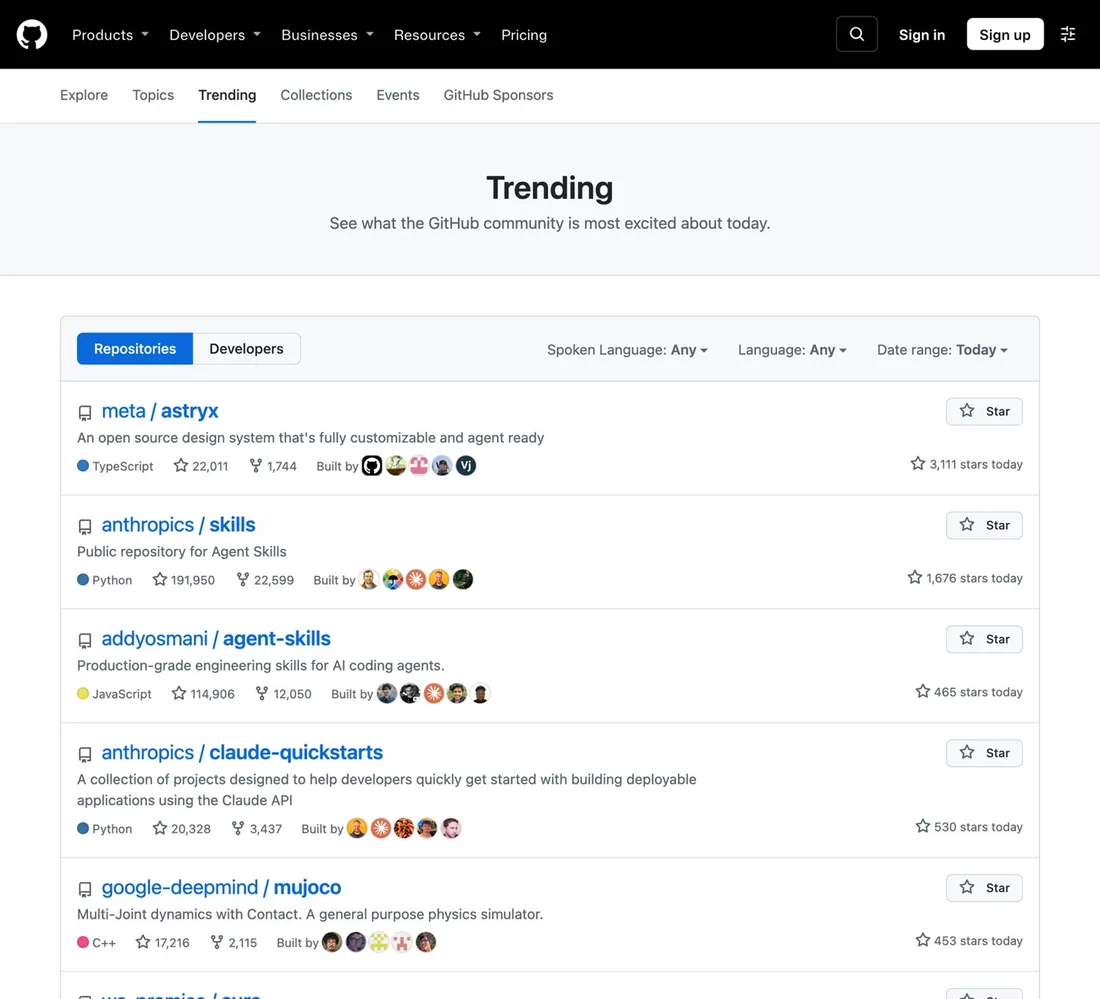
GitHub Trending shows the projects people are using right now. Awesome Claude Code lists plugins, skills and tools made for Claude Code.
Step 3: Plan with coding skills
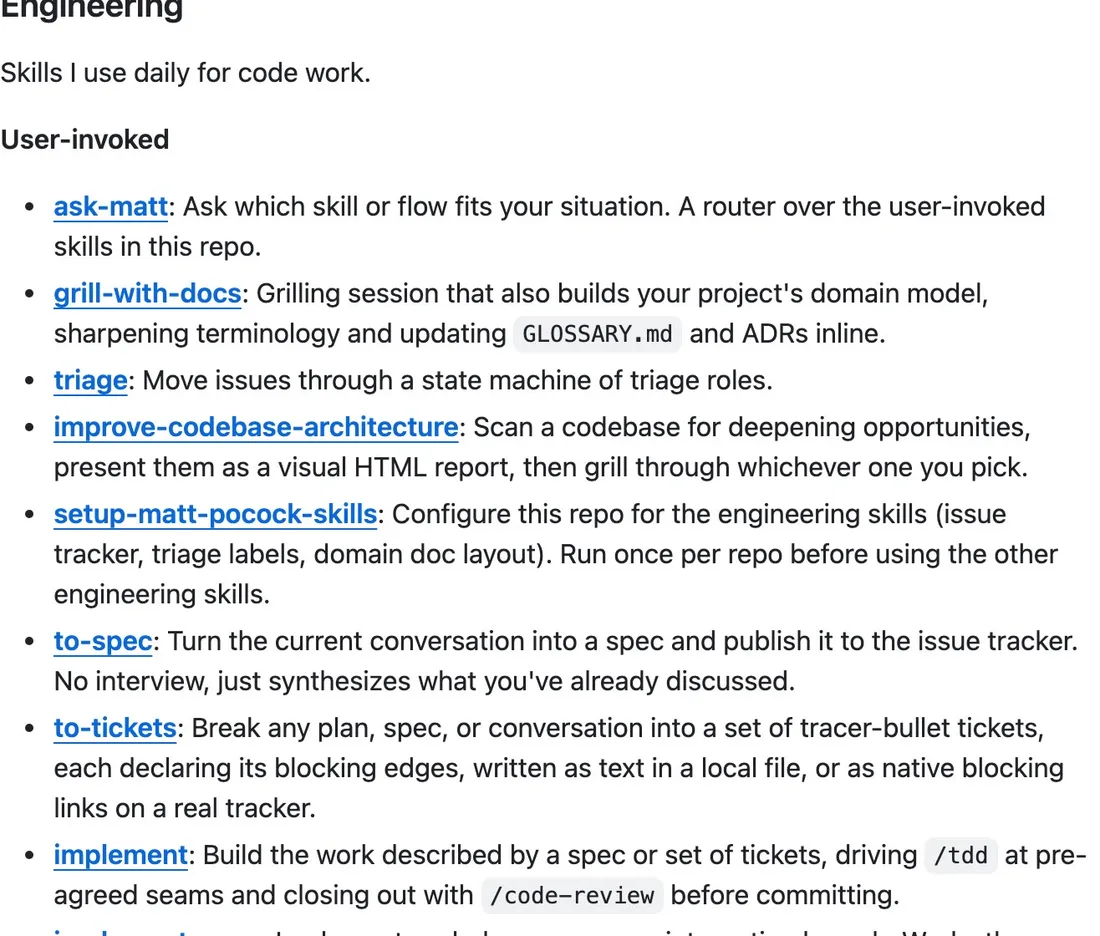
I plan with Matt Pocock's free skills: small instruction files that teach Claude Code a way of working. His page shows the one-line install.
Step 4: Get grilled, then write the plan
/grill-with-docs asks you question after question until every choice is made. /to-spec writes the answers up as a spec, and /to-tickets splits the spec into small tickets that say which ones block which.
What a good ticket looks like

- Small
- One agent can finish it in well under an hour. If not, split it again.
- Testable
- It says how to check that it works, so the agent can test its own work.
- Clear about blockers
- It names the tickets that must be done first, so agents start in the right order.
- Owns its files
- Two tickets that change the same files can't run at the same time. Split them differently, or run them one after the other.
Part 2: The build: agents
The app got built in under 7 hours because every ticket went to its own agent, and many agents worked at the same time, each in a separate copy of the project so they never overwrote each other.
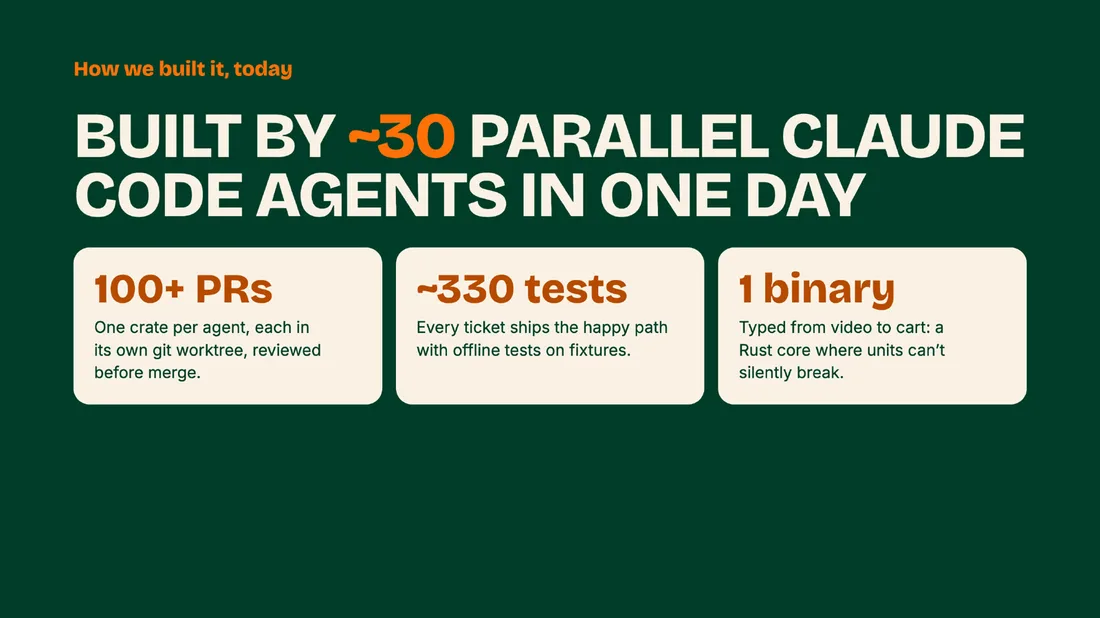
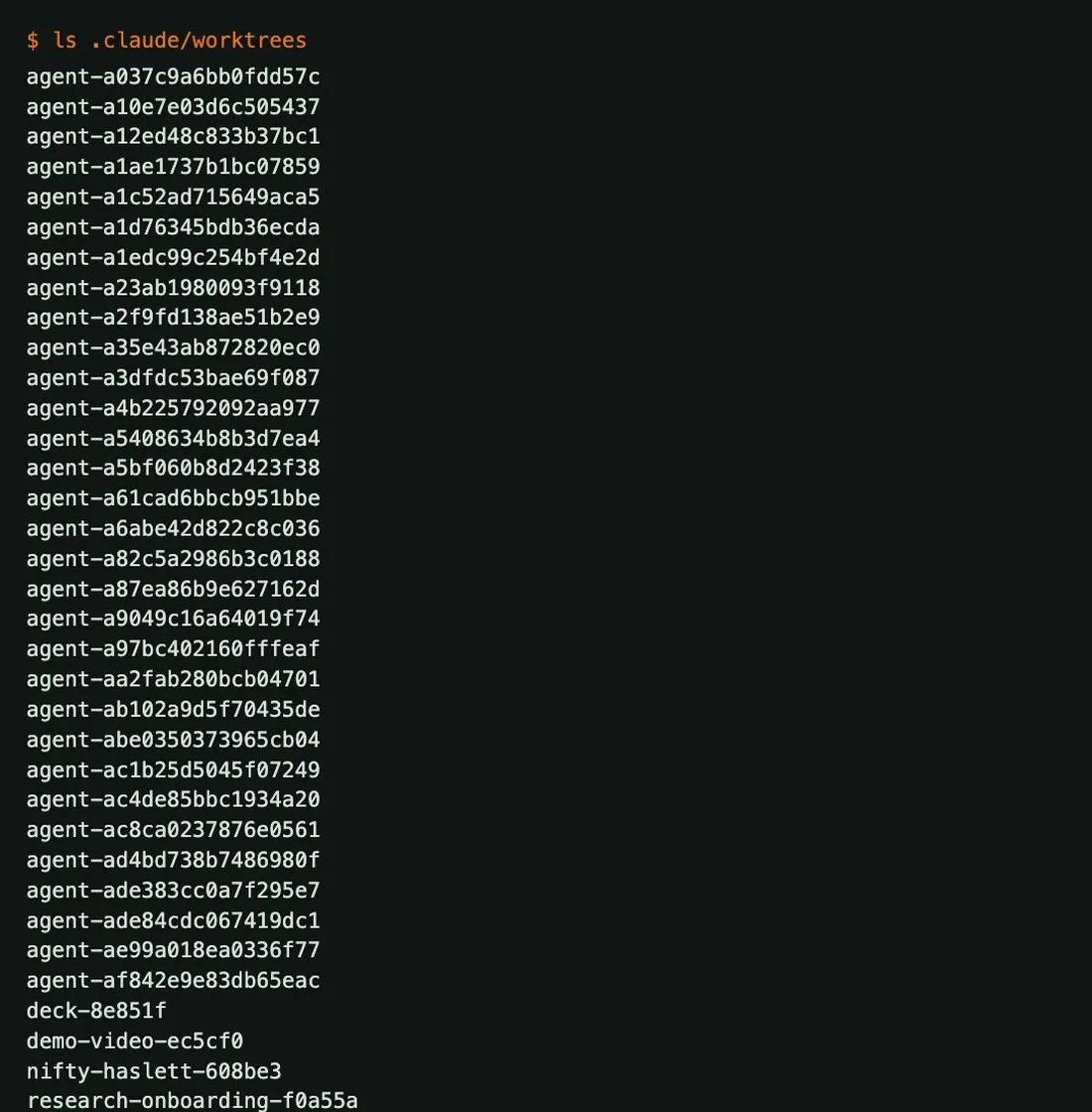
MY 30 AGENTS
Step 1: One small task per agent
A ticket an agent can finish and test on its own works far better than a vague, big one. Claude Code can start subagents: separate agents it hands one task each.
Step 2: Run them in parallel
Ask Claude Code to start one subagent per ticket that is ready, each in its own git worktree: a separate working copy of the project on its own branch. The list above is my agents' worktrees.
Step 3: Review before you merge
Each agent opens a pull request, and every one gets a review against the spec before it is merged. Matt Pocock's /code-review skill does this. My build ended with more than 100 pull requests and about 330 tests.
Step 4: Keep a working demo
After every merge, run the whole app end to end. Fix what broke before starting new tickets, so you always have something you could demo.
What to watch out for

- Usage limits
- Thirty agents use your plan's limits much faster than one chat. Max gives you more room than Pro.
- Approvals
- Claude Code asks before it runs commands or edits files. Read what it asks, and approve only what you understand.
- Agents that guess
- When an agent builds something odd, the ticket was usually too vague. Rewrite the ticket and run it again.
- Too many at once
- Start with a few agents, check that their work merges cleanly, then add more.

Part 3: The pitch
People spend the least time on the pitch, and they shouldn't. The judges only see what you show in a few minutes, so give it real hours.
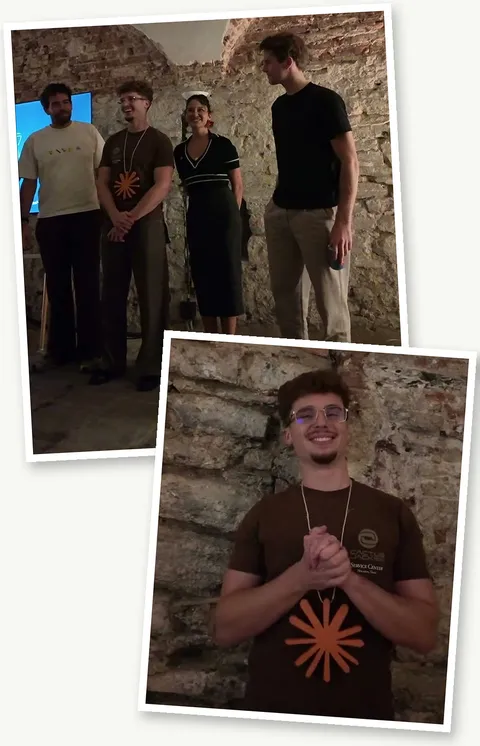
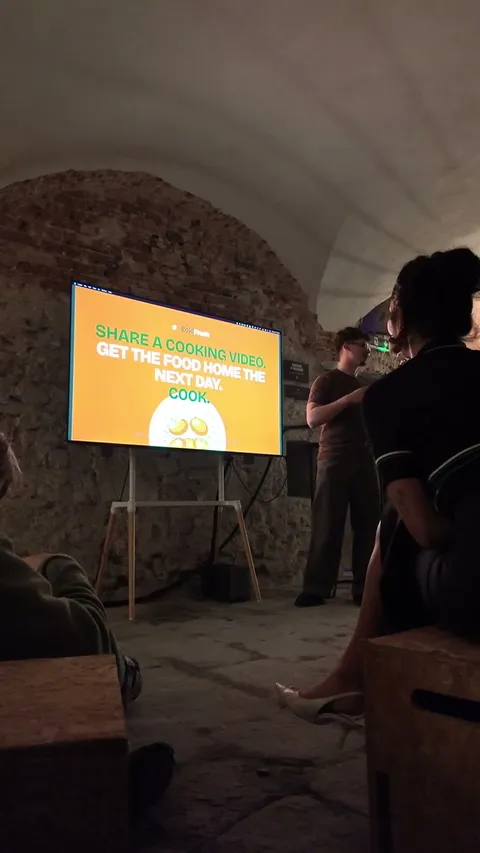
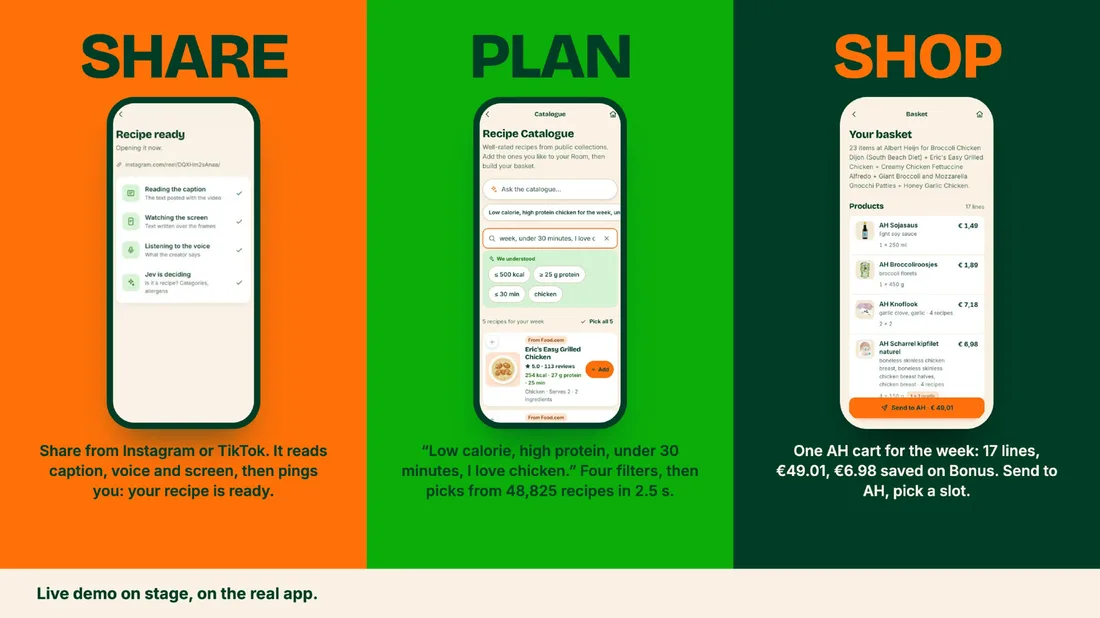
MY PITCH ON STAGE
Step 1: Make the live demo impressive
Show the real app, live, not a recording. Rehearse the exact clicks until the demo works every time.
Step 2: Interact with the audience
Ask the room for something the demo can use, like a link or a choice. People pay attention when the demo is about them.
Step 3: Show every feature end to end
Go from the first screen to the result in one go. Build up to the moment you want the room to say wow.
Step 4: Make it simple
Everyone in the room should understand what you built, including people outside tech. Say the one-sentence promise, and let three slides carry the rest.
A 3-minute pitch, in five beats

- The problem
- A moment everyone in the room has lived, told in 20 seconds. Mine: the recipe videos we all save and never cook.
- The promise
- Your one sentence, said slowly.
- The live demo
- Click by click, from the first screen to the result, with one moment where the room takes part.
- How it was built
- One line. Mine: about 30 Claude Code agents in under 7 hours.
- The close
- Repeat the promise. Keep a backup ready for each demo step in case the internet or the app fails.

Part 4: The design and the day
Small tip: if you have time to work on the design and the user experience, it gives you bonus points. It matters more than most people think.
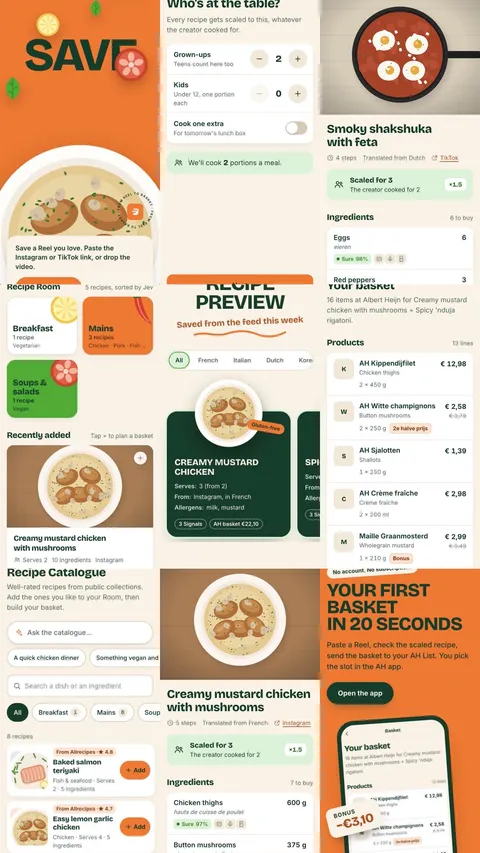
Step 1: Pick one look and keep it
One main colour, one font, rounded cards, real pictures. Ask Claude Code to apply the same style to every screen, then compare the screens side by side.
Step 2: Design the first screen first
The onboarding and the home screen are what the room sees first. Make them clean before you polish anything else.
Step 3: Use real content
Real recipes with real prices and photos make the demo believable, and placeholder text makes it look unfinished.
Step 4: Check it on the device you demo on
If you present from a phone, test every screen on that phone, at the size the room will see it.
A simple plan for the day
- Before you arrive
- Pick the idea, research it and write the one-sentence promise. Install Claude Code and the planning skills.
- First hours
- Look for parts to reuse, then grill, spec and tickets. Don't start building until the tickets are small.
- Middle hours
- Agents in parallel, one ticket each. Review, merge, and keep the app working end to end.
- Last hours
- Stop adding features. Polish the design, write and rehearse the pitch, and prepare a backup for the demo.